Guide
Outlook
Subscribe to a calendar from the internet. Screenshots may differ slightly depending on your Outlook version.
1. Add a calendar from the internet
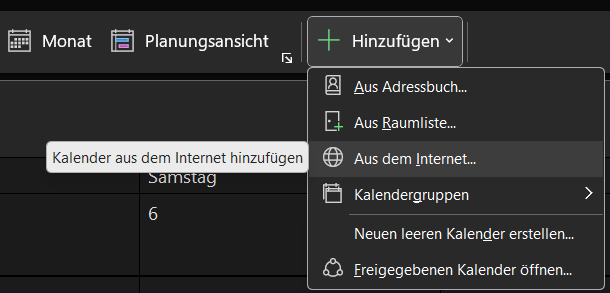
On the “Home” tab, click “Add” on the right and choose “From Internet”.
2. Paste your Yourical link
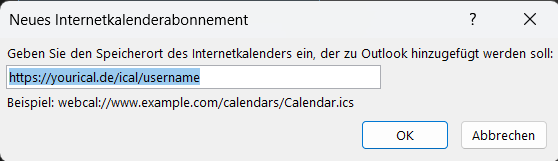
Paste your personal link into the field and confirm with “OK”.
3. Optionally rename it
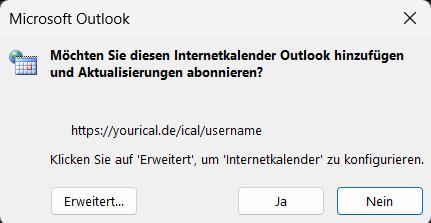
Under “Advanced…” you can rename the calendar. Then confirm with “Yes”.
Outlook refreshes internet calendars regularly. The exact interval depends on your Outlook version and account settings.