Guide
Google Calendar
Subscribe to a calendar by URL. Screenshots may differ slightly depending on your Google version.
1. Open settings
Open Google Calendar and go to settings.

2. Add a calendar by URL
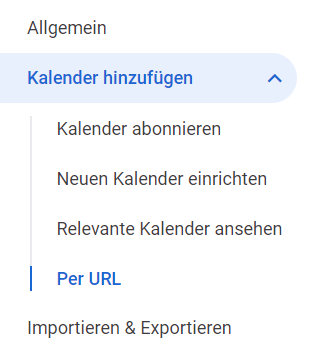
On the left, click “Add calendar” and choose “From URL”.
3. Paste your Yourical link
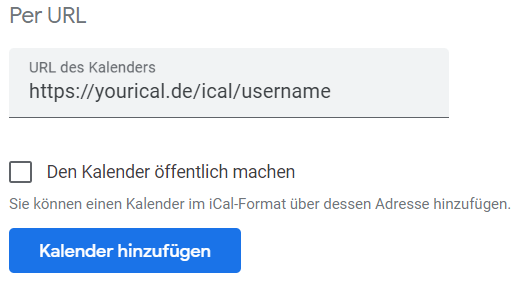
Paste your personal Yourical link and confirm with “Add calendar”.
Google sometimes only refreshes URL calendars about every 24 hours. For short-term changes, you can also use the WebUntis app or the dashboard.